
You need the Manage Server permission in the server you want to protect.
1
Invite AuthenticateMe
Open the dashboard, sign in with Discord, and pick your server from the list on the left. Servers without the app show a + badge, and clicking one opens Discord’s invite screen.You can also use the Add to Discord button on authenticateme.xyz. Read Invite and permissions to see which permissions the app uses and why.
2
Create the roles and channel you need
Verification needs a Verified role that unlocks your server and a verification channel where new members start. Most servers also add a private logs channel for staff.Then go to Server Settings → Roles and drag the AuthenticateMe role above your Verified role, because Discord only lets the app give roles that sit below its own. Roles and channels covers the channel permissions in detail.
3
Finish the setup on the dashboard
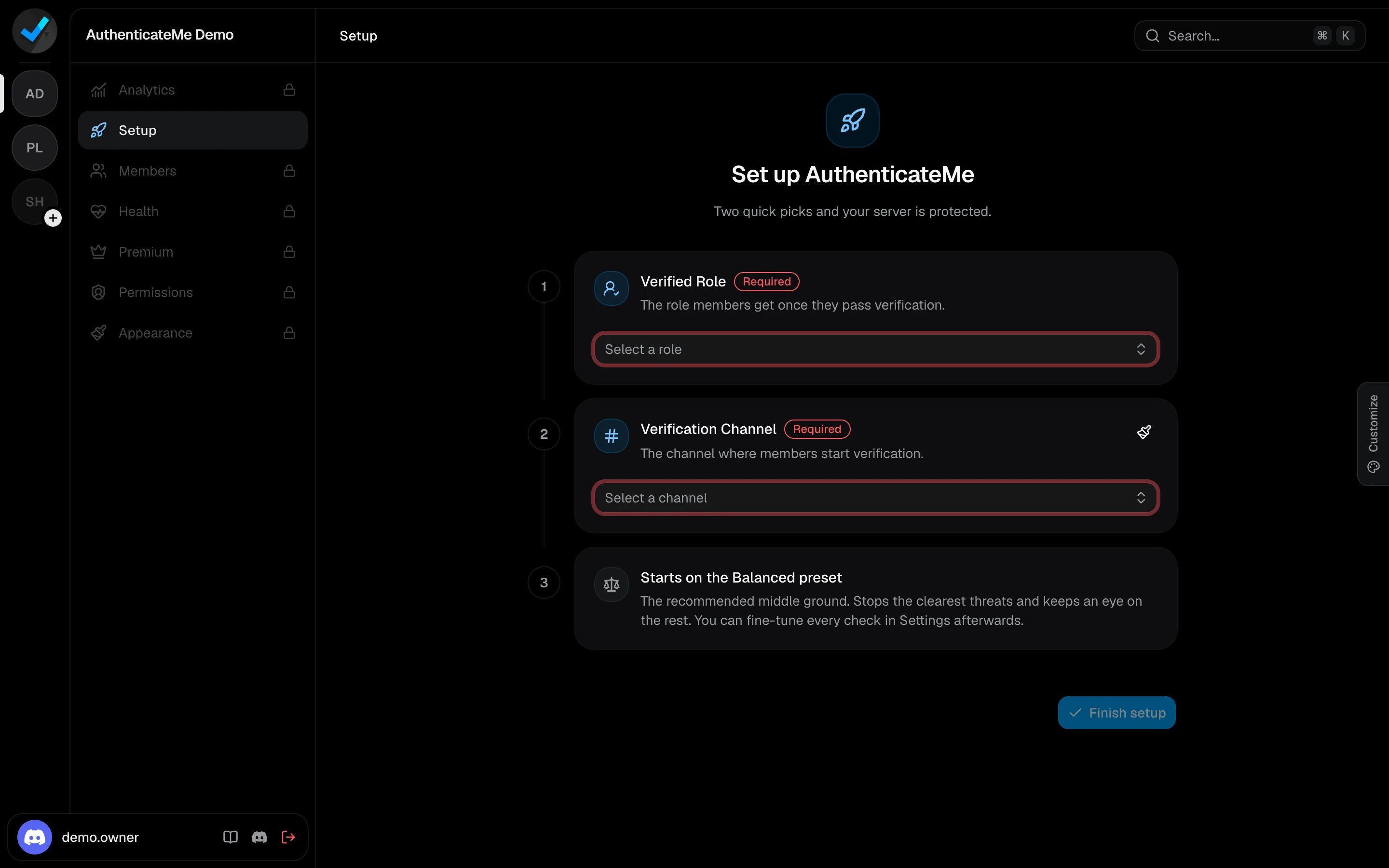
A server that isn’t set up yet opens on the Setup screen. Pick your Verified Role and Verification Channel, then click Finish setup.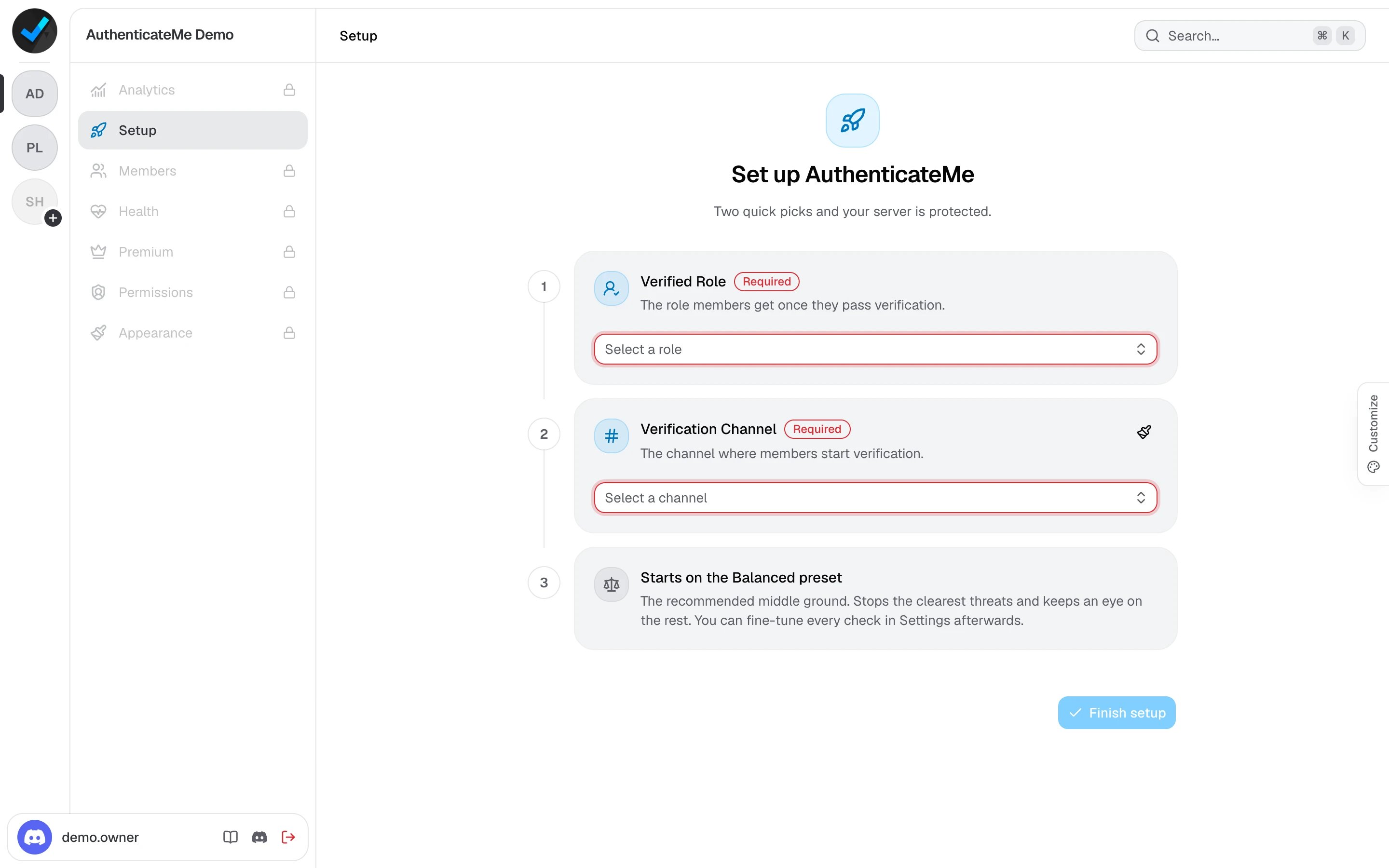
4
Lock your server behind the Verified role
Members should only see the verification channel until they verify. A common layout is to deny View Channel for
@everyone on your other channels and allow it for the Verified role. You can also turn on the Unverified Role and restrict that role instead.5
Check that everything works
Open the Health page on the dashboard, or run 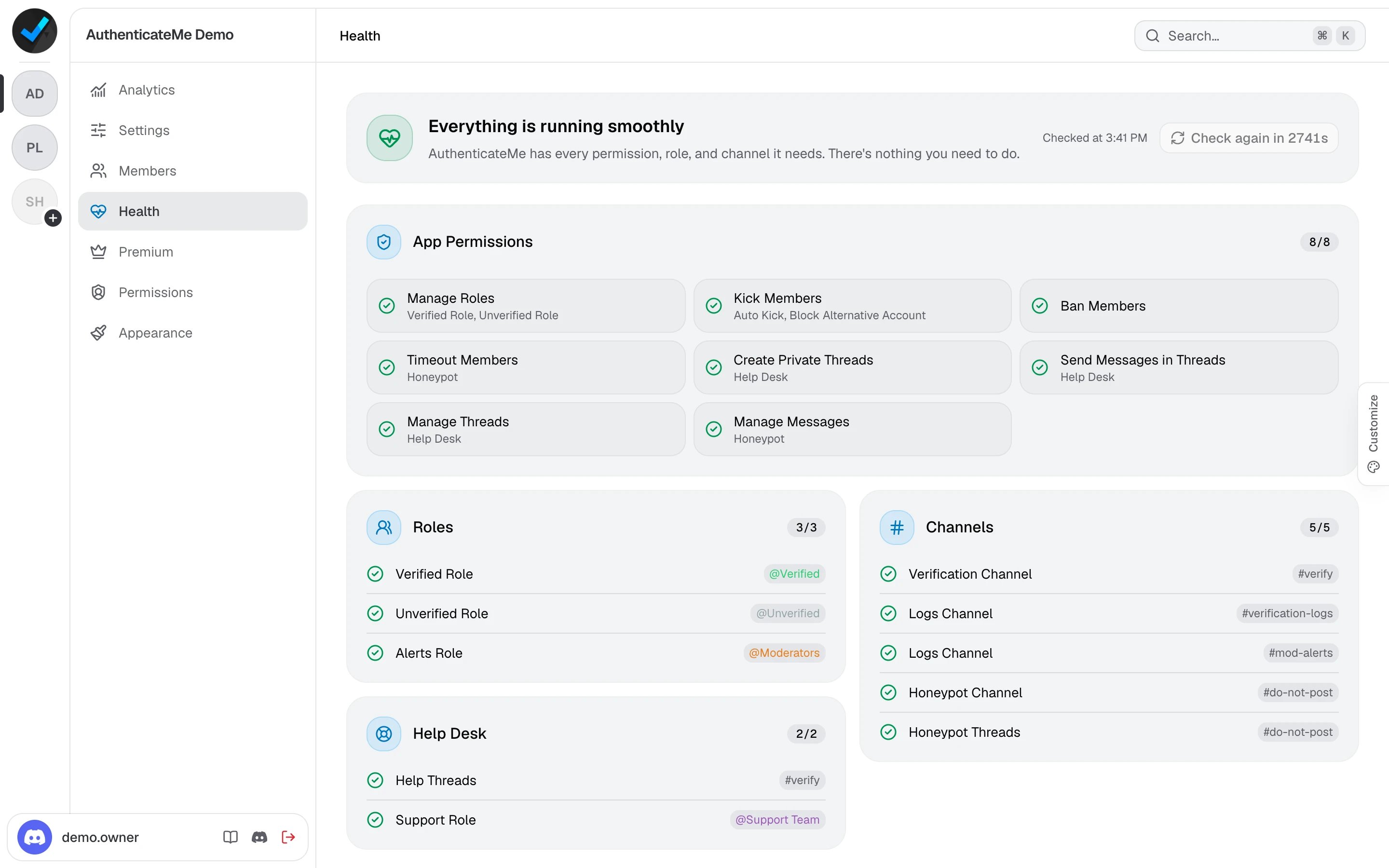
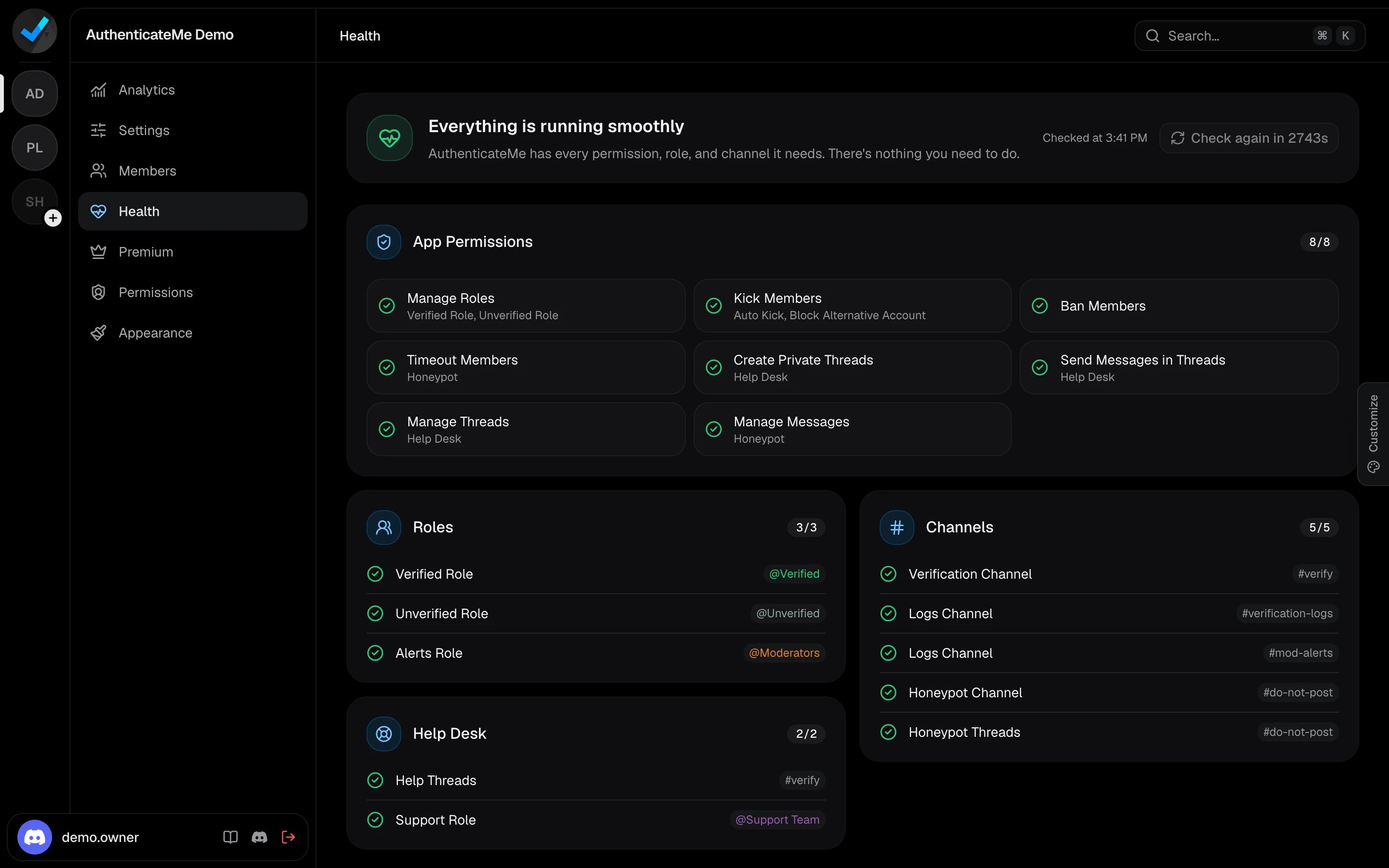
/health in Discord. It lists any missing permission, role, or channel that would stop members from verifying.Next steps
Choose a verification mode
Web-Link runs every check. Button-Click and Instant-Grant are faster with fewer checks.
Tune your settings
Switch between presets or adjust each check and its action.
Set up logs and alerts
Send each kind of log to the right channel and ping your moderators.
Customize the message
Change the verification message, its buttons, and the app’s profile.